
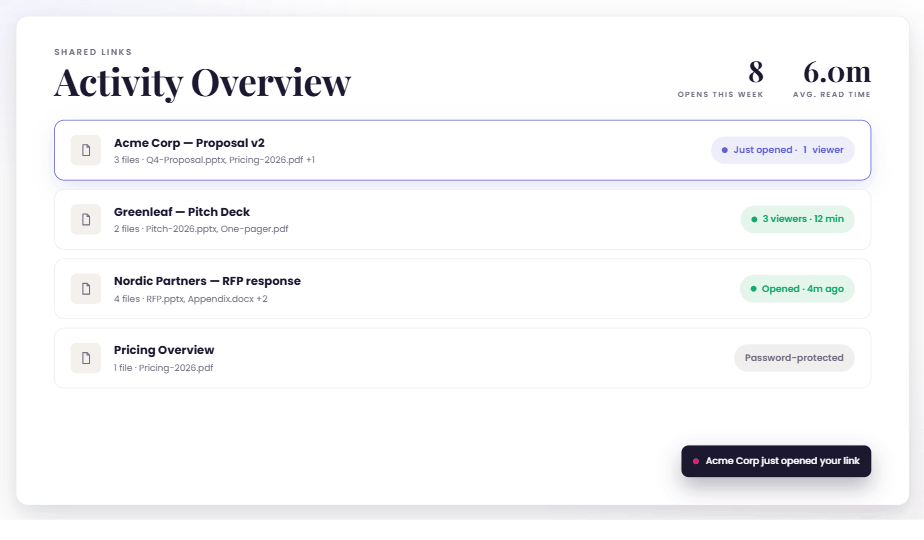
Introducing Send & Track: share your deck, then see exactly what happens
Bundle decks, documents, and files into one secure link — then see who opened it, which slides held their attention, and the right moment to follow up. No forms...
Product updates, AI deep dives, and practical playbooks from the SlideHub team.
Monthly emails with product updates, videos, and quarterly webinar invites.
Bundle decks, documents, and files into one secure link — then see who opened it, which slides held their attention, and the right moment to follow up. No forms...

Build decks faster, rework slides without starting over, and finally see which slides your clients care about. Here's how May's updates help you win more time a...

Faster slide generation, a cleaner library, consistent email signatures across your whole organisation, and visibility into what happens after you send document...

Start every deck with a head start instead of a blank file. Start every deck with a head start instead of a blank file. Get a complete deck from one prompt, bui...

Five updates that help your team find the right slide version faster, build with AI without losing their flow, and handle the repetitive admin work in far less...

Use your slides inside Claude and ChatGPT. Find, generate and reuse on-brand slides without leaving your AI tool. Plus AI Text-to-Slide history, new placeholder...

Deploy consistent email signatures across your entire organization in minutes. Plus, take control of AI rollout, improve slide quality, and build your visual li...

Reclaim hours from slide formatting and manual updates. AI automation delivers on-brand presentations instantly while you focus on what matters. Watch our Q4 we...

This October, we’ve added the ability to upload Word documents and Excel sheets directly via the add-in and enhanced forms with optional and multi-select questi...

Keep your slides consistent and your workflows efficient. The September update introduces admin-managed data, visual slide comparison, and a new automation mana...

Did you miss our latest Product Update Webinar? Don't worry, we've got you covered. Get the highlights on smarter search, enhanced automation, and a preview of...

Get a sneak peek at our upcoming AI feature that transforms your content into polished slides, and catch up on all the latest product updates from our Q3 webina...

Growing presentation libraries shouldn't mean growing admin workload. Discover how leading teams maintain brand control, ensure content accuracy, and enable fas...

Create optimized slides with AI, search content 2x faster with AI-enabled search, and manage all PDFs centrally. Discover all the latest improvements

July’s product release introduces Presentation Builder Automation, making it easier for end users to generate consistent, customized presentations at scale with...

August updates let you control which assets are visible, filter slides across multiple categories, and see how many presentations each slide is used in, helping...

Explore SlideHub’s Q2 2025 updates — from document automation with simple forms and new placeholder types to AI-enabled slide search and upcoming presentation b...

Create documents faster, customize with ease, and strengthen your account security—explore June’s updates to learn about forms-based automation, the new placeho...

This month’s SlideHub update introduces three powerful features to boost productivity: AI-Enabled Search for fast access to information across your slide conten...

April has been packed with powerful new updates, giving you and your team more control and flexibility on the platform. From enhanced Placeholders to more preci...
During this webinar we looked back at the progress of our platform in 2023, the newest product updates, as well as sharing our exciting plans for the new year.

SlideHub has received the 2023 Best Value Badge from verified reviewers on Capterra under two categories. We are ecstatic to be recognized as an impactful solut...

This March, we rolled out powerful new features to help you work smarter, streamline your presentation process, and save time. A key highlight is the Rule-based...

Throughout February, we introduced a series of exciting product updates designed to enhance your workflow—including time-saving personal placeholders, deeper te...

This January, we rolled out several exciting new features, including the Key Presentation Shortcut and Smart Image Compression. We also enhanced core features l...

Explore the key takeaways from our Q4 Product Update Webinar, featuring the latest Q4 updates and our plans for H1

During December we’ve focused on enhancing the task pane experience across PowerPoint, Word, Excel, and Outlook. With this update, we’ve streamlined multiple as...

This November, we’ve focused on making SlideHub even more versatile and user-friendly. These updates go beyond slides, offering you smarter tools for managing a...

Discover the new features from October 2024. Learn how to scan for potential placeholders, download slides with placeholder identifiers, and use presentations w...

During September, we introduced improvements to SlideHub's placeholder feature for smoother presentation customization and improved platform statistics to help...

Don't miss the key takeaways from our Q3 Product Update Webinar - Learn how the new Presentation Builder simplifies proposals, explore enhanced placeholders for...
Struggling with oversized PowerPoint files? In this blog, you’ll find effective tips to reduce your presentation sizes, making them lighter, faster, and easier...

Explore a recap of SlideHub's most impactful Q2 updates, gain insights into our Q3 roadmap, and learn how we'll leverage AI to enhance the platform

This June we improved our search functionality, enhanced the slide preview feature and more...

In May we introduced progressive filtering, a better slide preview feature, custom team icons and more in SlideHub Platform!

Discover the new features in our August 2024 product update! Learn how the Presentation Builder can streamline your proposal creation process and how the improv...

This July we fixed multiple bug issues, expended the version control with deleted slides, and are a step closer to finishing the highly anticipated presentation...

This April we launched bulk auto-tagging, a new search performance report and improved the top contributor interface and more..

During this product webinar we looked back at the progress of our platform in the first three months of 2024 - we covered the newest product updates, and shared...

Find out why SlideHub was founded. Our CEO gives you the details.

Do you eat frogs in the morning? Former Junior Partner at McKinsey & Company, Rune Sonne Bundgaard-Jørgensen, explains why you should.

Rune Bundgaard-Jørgensen, a former Junior Partner at McKinsey shares career advice.

SlideHub's guide to making great, professional PowerPoint slides

Enroll and discover which new features SlideHub has been developing for you (Dynamic content, redaction tool, smart selection tool) and what the future will loo...
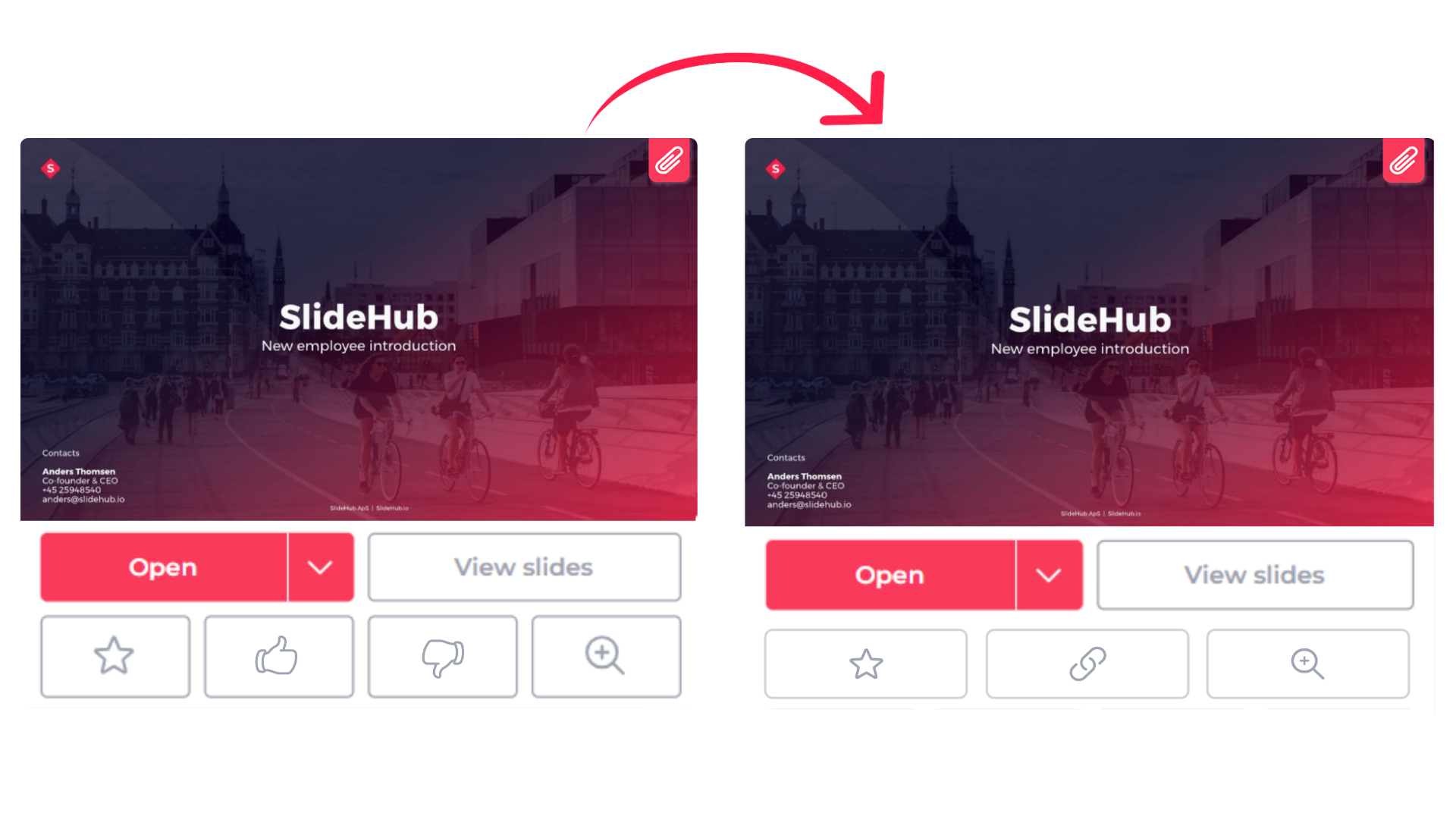
Learn more about how our platform was simplified to give our clients a simple yet powerful asset management tool.

Find out why SlideHub was founded. Our CEO gives you the details.

Learn the benefits of using dynamic actions to build your slides faster without having to learn and memorize any buttons or tools.

Learn how our new Dynamic Content feature can help you customize the content of your proposal slides effortlessly, safely, and faster than you ever did before.

Advice from our CEO’s former mentor who prefers Blackberries over iPhones.

February's Product Update includes streamlined navigation, file validation and faster uploads!

Find about library management, navigation and redaction tool improvements in SlideHub's March Product Update

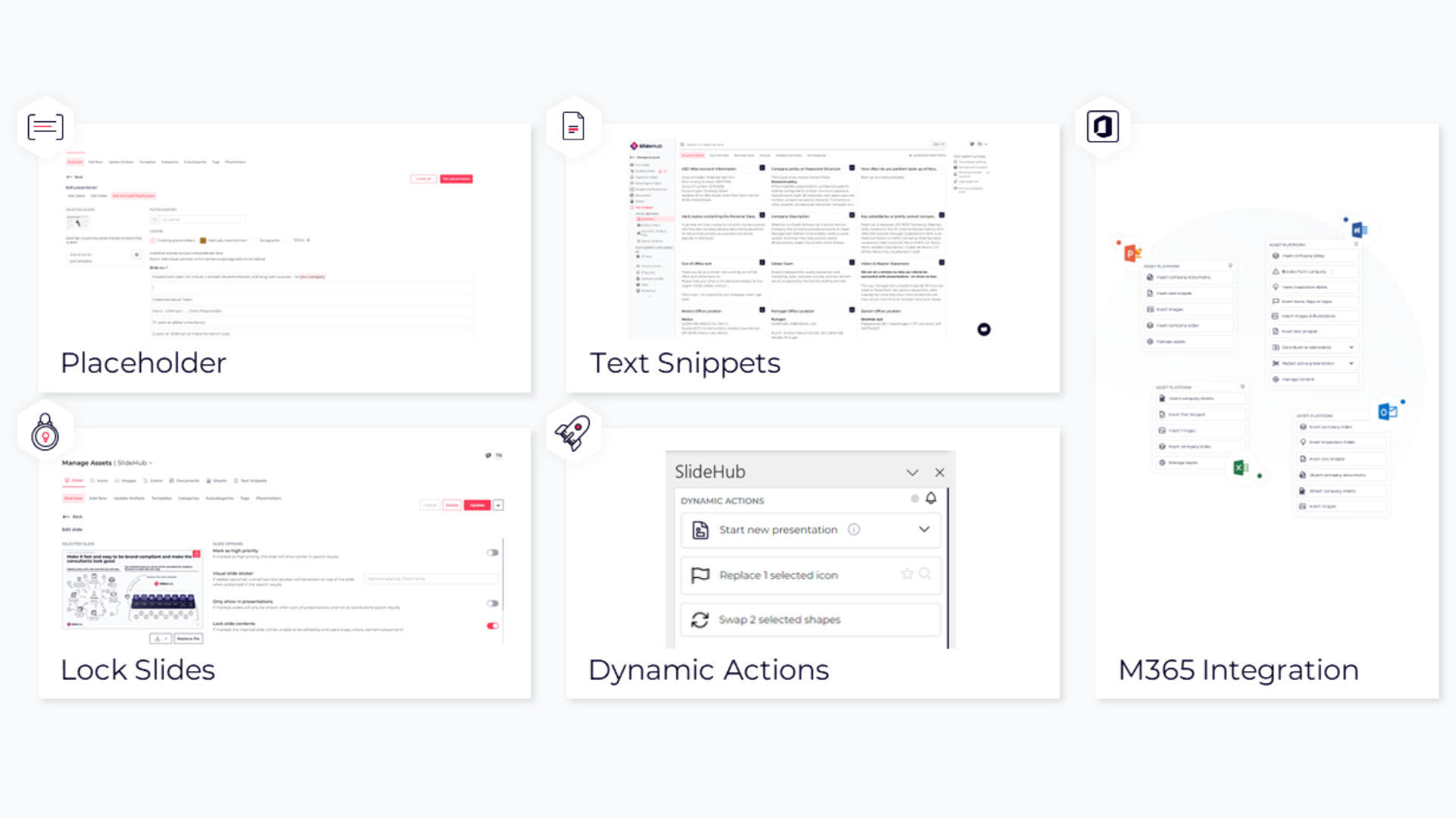
This product update we take a deep dive into the Lock Slide feature, using SlideHub in Outlook and white icon colour consistency

Going out with a bang! This December we improved the SlideHub search feature and refined our presentation update process.

We kicked off the month with our inaugural Quarterly Product Webinar and have worked hard to better the SlideHub Platform in important ways

From July in SlideHub Platform you are now able to download logos, identify high-priority slides, select the reviewer of your contributions and more!

This June, SlideHub Platform has launched in Word, Excel and Outlook allowing the use of all its assets across the Microsoft Suite.

The 2023 May Product update from SlideHub introduces Text Snippets, covers the improvements in color customisation, and dynamic action, and announces the discon...

In November's product update, we introduced presentation versioning, extended suggestions to include team vaults, and explained the implemented simplification o...

Delve deep into understanding SlideHub statistics and learn how to reorganise company materials into team vaults!

You can now search in the task pane, access improved usage statistics and scan your company library for similar slides.

Check out our new redaction tool, the improvements made to the asset search experience and how you can now update slides in one click.

SlideHub has successfully renewed our SOC 2 Type II certification! The renewal of our SOC 2 Type II certification confirms our dedication to maintaining the hig...

Did you miss our Webinar? You can find out more about our new features, and our vision. Watch the full video here.

We pushed over 20 product updates in Q2, but in this Webinar, we focused on the following 5 new main features: new navigation, SharePoint Backup support, text s...

This last quarter we focused not just on shipping new features, but also spent great effort to improve existing features

Your employees may be suffering from the most insidious affliction yet, and it's directly affecting their productivity. Find out how to best deal with this newf...
Book a personalized demo to see how SlideHub could help your team build better presentations, faster.