.svg)
You're invited
Find out for yourself how the latest product updates can benefit you

Create optimized slides with AI, search content 2x faster with AI-enabled search, and manage all your PDFs centrally. This November brings powerful improvements designed to streamline your workflow and save you time:
Watch the full product update video here: Product Update November 2025
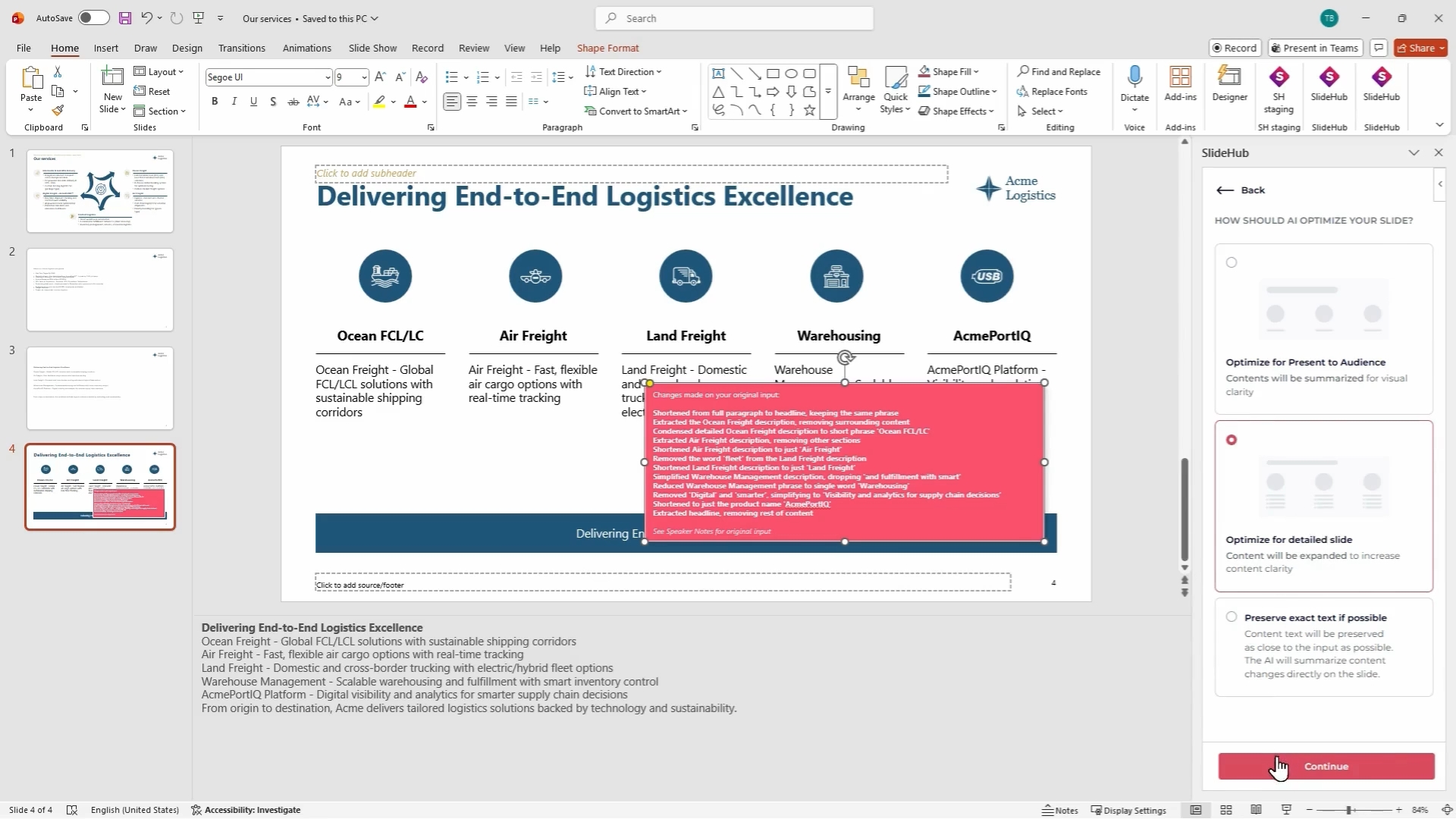
We're continuously improving our AI text-to-slide feature based on your feedback, making it faster, more consistent, and more accurate. This update brings new capabilities that help you create professional slides in minutes instead of hours, tailored to your specific audience and purpose.
What's new:
How it works:
Click "Text to Slide (BETA)" in the add-in, select your optimization style, paste your content, customize the style settings, choose a layout, and click "Customize Slide." The AI generates your slide with relevant icons and visuals in seconds.
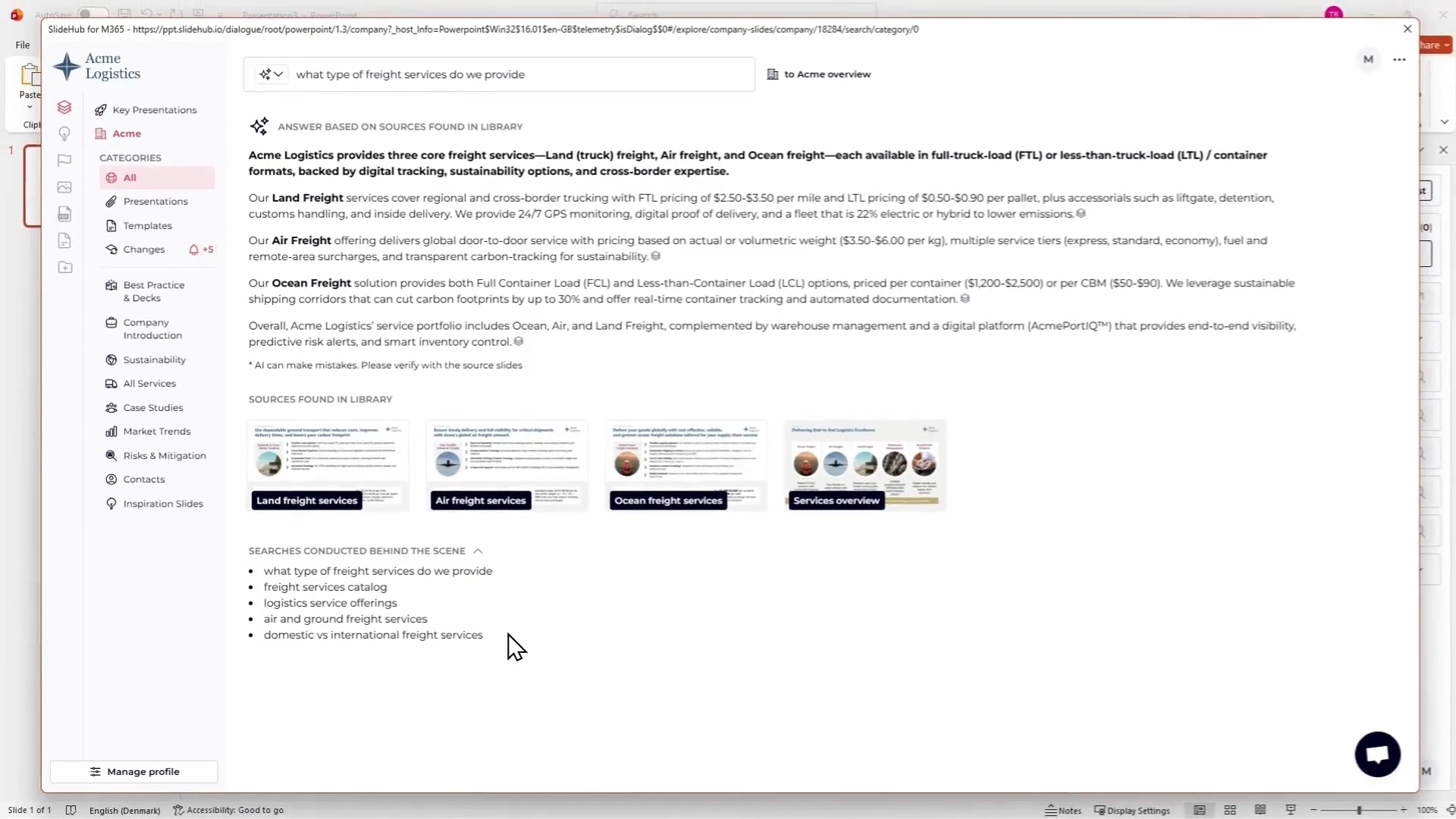
We've enhanced our AI-enabled search with major performance improvements and enhanced transparency.
Key improvements:
Your SlideHub library now supports PDF files, giving your team a centralized hub for all company assets - presentations, documents, and visual assets all in one place.
How to enable it: Enable PDF support in Manager view by navigating to Assets → PDFs tab → Enable. Choose access permissions (everyone or managers only), then upload PDFs to your library. Configure file settings including Draft status for work-in-progress documents, add labels for easy discovery, and assign owners for accountability. Manage versions through the change log and copy direct links to share instantly.
In Outlook, you can directly attach PDFs to your emails via the SlideHub add-in to streamline your communication workflow—no more switching between platforms to find and attach documents.

We've unified the interface across all asset types, making it easier to work with any content in your library.
What's improved:
For admins: A cogwheel icon appears when you hover over any asset in end-user view, providing quick access to settings.

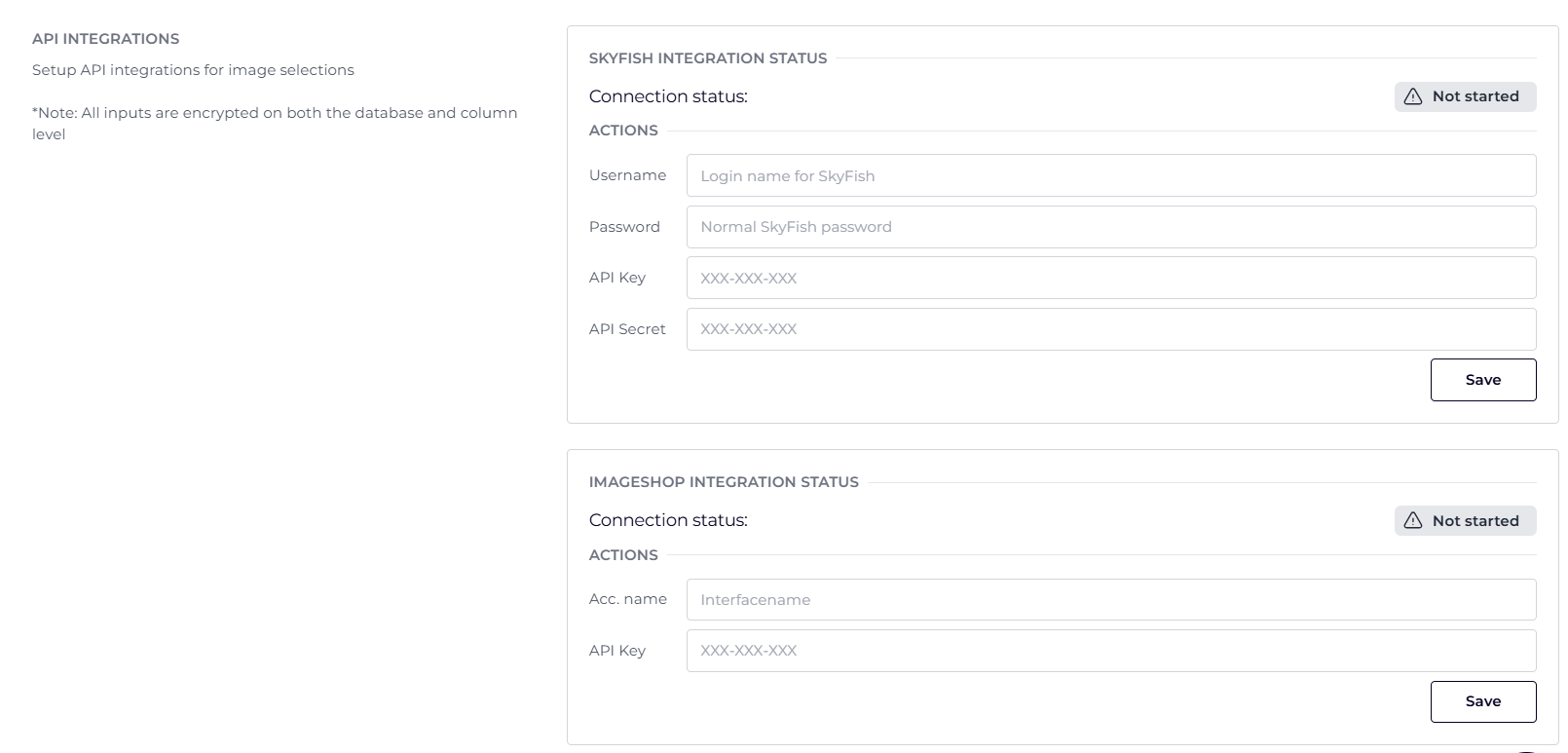
SlideHub now integrates with Imageshop, allowing your team to access your entire Imageshop library directly within SlideHub for brand-compliant image usage without switching platforms.
How to set it up: Navigate to Asset Settings in Manager view → Image tab → Imageshop integration section. Enter your Imageshop account number and API key, and save.
Join us for our next Product Update Webinar on January 15, 2026, at 2:00 PM and 9:00 PM CET.
Register here → https://slidehub.com/webinar-sign-up/quarterly-product-webinar
We look forward to seeing you at the next webinar!
Are you interested in becoming a client - Schedule a demo here
Do you need our assistance as a clients - Book a call with Customer Success
Find out for yourself how the latest product updates can benefit you


.png)