
Sales content management that keeps every deck findable and on-brand
Give your sales team one governed home for the decks, documents, and assets they sell with. Find the right content in seconds, build from it, and keep it current across the whole team.

Find any slide in seconds
Give your team access to on-brand, up-to-date approved slides using powerful AI search built right into PowerPoint, SharePoint, and Teams.
- Search across your entire content library by topic, tag, or content
- Find the right slide or describe what you need to let the AI create it
- Filter by category, tags or labels instantly
Update once, change everywhere & notify users
Update one slide and push the change to every deck that uses it. Lock compliance-critical slides, merge duplicates, and approve contributions from across the team, all from one place.
- Update once, update everywhere. No more outdated decks
- Lock compliance-critical slides from being edited
- Approve slide-suggestions and merge duplicate slides with a click
Build slides on-brand, every time
Generate slides with AI that uses your approved templates and content, or start from 4,500+ professionally designed templates. Always on-brand, no reformatting needed.
- AI builds and redesigns slides from your own content and templates
- Library of 4,500+ ready-to-use slide templates
- Every slide stays inside your brand guidelines
Save hours on deck building
Set up logic and placeholders to automate proposals, tombstones, CV decks, and more. Pull data, swap content, and assemble easily.
- Build proposals from approved slide groups in minutes
- Use placeholders to swap client names, data, and visuals
- Generate tombstones and CV decks automatically
Share decks and related files and see who's reading
Send presentations and related files to prospects to know when they open the deck. You can see exactly which slides held their attention.
- Get notified the moment recipients open your deck
- Track time spent on each slide and total engagement
- Password-protect decks and control download permissions





















One governed home for all your sales content
From the first prospecting deck to the final proposal, SlideHub keeps the content your sales team sells with in one place, so the right version is always a search away.
One content library
Decks, documents, and assets in a single governed home, instead of scattered across drives, inboxes, and laptops.
Find it in seconds
AI search across your whole library by topic, tag, or content, built into PowerPoint, SharePoint, and Teams.
On-brand by default
Govern your sales content centrally so what reps use is always approved, current, and on-brand.
Always up to date
Update one slide and push the change everywhere, so no rep sends last quarter's numbers.
Build from approved content
Assemble proposals and decks from the managed library in a few clicks, instead of starting from a blank page.
Share and track
Share content with tracked links and see how prospects engage, so you manage your library around what works.
Governed library that powers your work in M365
Presentation Management w. slides, documents, PDFs, images, icons, all approved and in one place, with AI, search, creation, sharing, and governance built in:



The right content, a search away
Reps stop recreating decks because they can't find the approved one. AI search surfaces the right slide, document, or asset in seconds, right inside the tools they already work in.
Manage your content with real data
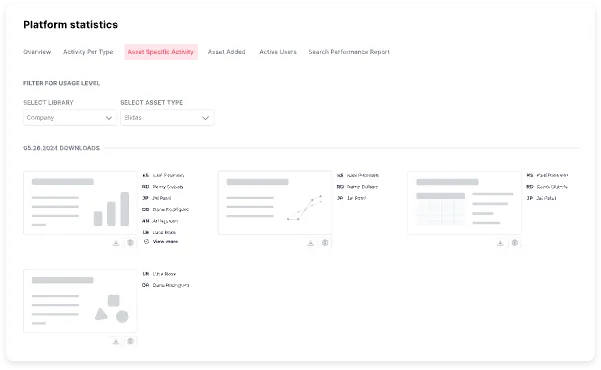
See which content gets used, what reps search for but can't find, and which decks drive engagement, then manage your library around what your team actually relies on.
Give your colleagues an unfair advantage
The same platform that manages your sales content also hands your team three things they couldn't do before.

Customise a full presentation in seconds
Pick approved slide groups, let placeholders fill in the client details, and a tailored, on-brand deck is ready in minutes.
See how it works
Build new slides with on-brand AI
Describe the slide you need and AI builds it from your own templates and content, always on-brand, with no reformatting.
Explore SlideHub AI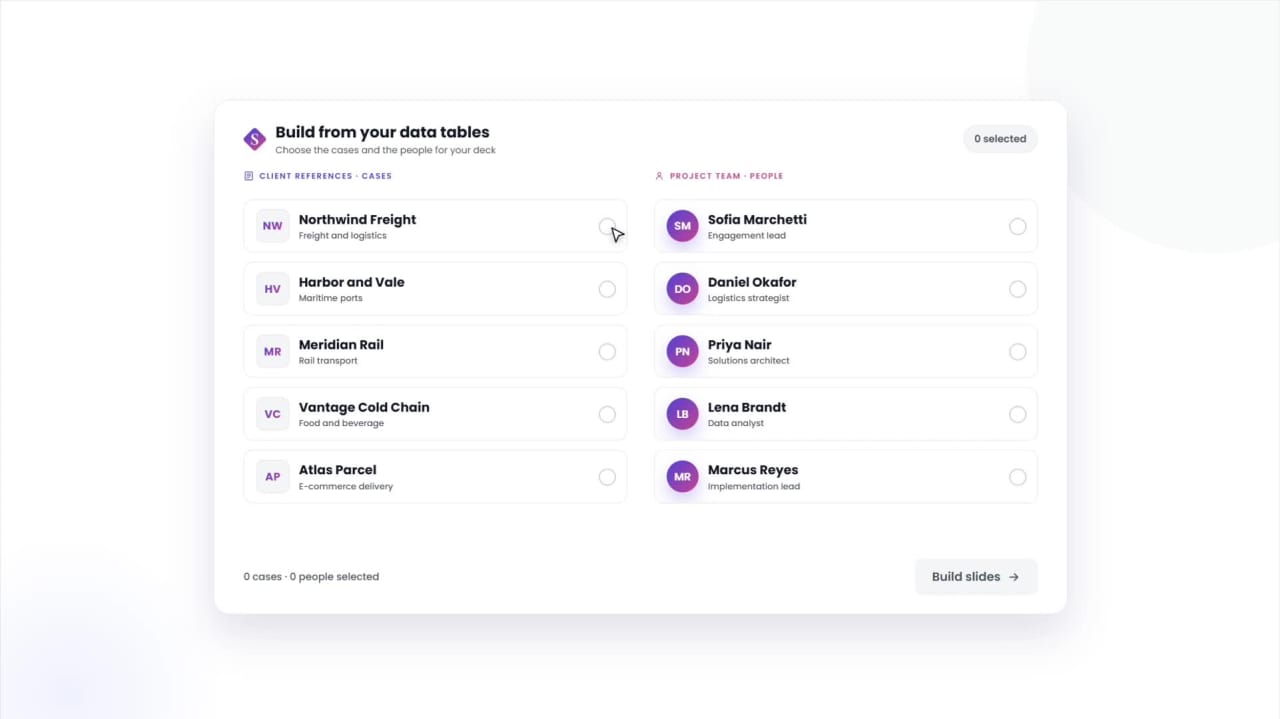
Manage tombstones, bios & cases in a structured data table
Keep deal tombstones, team bios, and reference cases in one table, and build any slide from the entries you pick.
See Data TablesRated 4.9 by the people who use it every day
SlideHub is a Leader in Presentation Management on G2, with awards across implementation, support, and ease of doing business. Every medal is earned from verified customer reviews.
Read customer stories






See how other teams manage their sales content






Sales content management questions, answered
What is sales content management software?
How is it different from a shared drive?
Does it keep sales content on-brand?
Where does the content live?
Can we see which sales content gets used?
See sales content management that your reps will actually use
Book a 30-minute walkthrough. We'll tailor it to how your sales team finds and shares content today, and show where the wasted hours come back.