
Keep every deck on-brand without slowing your team down
Make approved, on-brand slides the easiest option and your team will use them every time. Brand compliance built into how they already build presentations.

Update once, change everywhere & notify users
Update one slide and push the change to every deck that uses it. Lock compliance-critical slides, merge duplicates, and approve contributions from across the team, all from one place.
- Lock compliance-critical slides from being edited
- Update once, update everywhere. No more outdated decks
- Approve slide-suggestions and merge duplicate slides with a click
Build slides on-brand, every time
Generate slides with AI that uses your approved templates and content, or start from 4,500+ professionally designed templates. Always on-brand, no reformatting needed.
- AI builds and redesigns slides from your own content and templates
- Library of 4,500+ ready-to-use slide templates
- Every slide stays inside your brand guidelines
Find any approved slide in seconds
Give your team access to on-brand, up-to-date approved slides using powerful AI search built right into PowerPoint, SharePoint, and Teams.
- Search across your entire library by topic, tag, or content
- The approved slide is always the easiest one to reach for
- Filter by category, tags or labels instantly
Save hours on deck building
Set up logic and placeholders to automate proposals, tombstones, CV decks, and more. Pull data, swap content, and assemble easily.
- Build proposals from approved slide groups in minutes
- Use placeholders to swap client names, data, and visuals
- Every generated deck stays on-brand by default





















Brand compliance built into every deck
The hard part of staying on-brand is making it the easy path for the team. SlideHub does exactly that, so on-brand becomes the default, not the chore.
Approved by default
Your team builds from a library of approved, on-brand slides, so the right content is also the easiest to reach for.
Lock what matters
Fully lock compliance-critical slides so they can be used but never edited off-brand.
Always current
Update one slide and push the change everywhere, so no deck goes out with last quarter's brand or numbers.
On-brand AI
AI builds and redesigns slides from your own templates and content, so generated decks stay inside your guidelines.
Central governance
Govern your presentation content in one place, so what leaves your team is always on-brand without manual review.
Easy to find
AI search surfaces the approved slide in seconds inside PowerPoint, so reps stop rebuilding off-brand versions.
Governed library that powers your work in M365
Presentation Management w. slides, documents, PDFs, images, icons, all approved and in one place, with AI, search, creation, sharing, and governance built in:



Lock the slides that must never change
Fully lock compliance-critical slides so they can be used but never edited, and push a single update to every deck that uses them. Off-brand drift stops at the source.

On-brand is the easy option
When the approved deck is a few clicks away and always current, your team reaches for it instead of rebuilding from an old file. Brand compliance becomes the path of least resistance.
Give your colleagues super powers
The same platform that keeps your decks on-brand also hands your team three things they couldn't do before.
Customise a full presentation in seconds
Pick approved slide groups, let placeholders drop in the client-specific details, and a tailored, on-brand deck is ready before you'd normally have opened a template.
Build new slides with on-brand AI
Describe the slide you need and AI builds it from your own templates, content, and brand — or redesigns a rough slide so it's presentation-ready. Always on-brand, no reformatting.
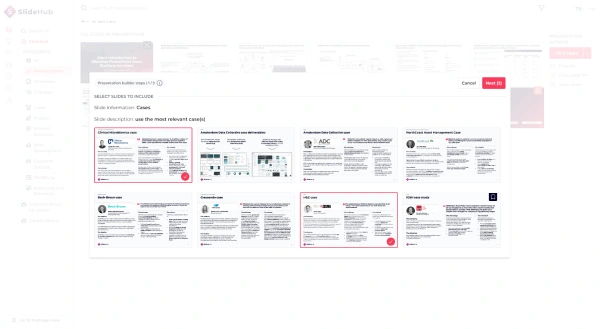
Manage tombstones, bios & cases in a structured data table
Keep deal tombstones, team bios, and reference cases in one structured Data Table. Set it up once and reuse it everywhere, fully on-brand, instead of rebuilding each profile slide by hand.
Rated 4.9 by the people who use it every day
SlideHub is a Leader in Presentation Management on G2, with awards across implementation, support, and ease of doing business. Every medal is earned from verified customer reviews.
Read customer stories





See how other teams stay on-brand
 Business advisory
How ADC got quick adoption of new brand in PowerPoint

 Biotechnology
How did Clinical Microbiomics successfully implement and gain adoption of their new visual identity

 Business advisory
How H&Z boosts productivity and increases consistency

On-brand presentation questions, answered
How do you keep presentations on-brand?
Can we lock slides so they are never edited?
Does AI keep generated slides on-brand?
Will brand compliance slow my team down?
Where does it work?
See how SlideHub keeps every deck on-brand
Book a 30-minute walkthrough. We'll tailor it to how your team builds presentations today, and show where on-brand becomes the easy option.