

















SlideHub

Stay compliant

Mandatory slides and disclaimers, in every deck

Approved slide sets bundle the legal slides and disclaimers your team has to include, so the compliant version is the easy version. Colleagues customize with placeholders, never the locked content underneath, and you see exactly what is being used and sent.

Trusted by
Thyssenkrupp KPMG Netcompany H&Z Valcon Siemens Advanta Consulting RPC Epinion IG&H KPS Dentons Global Advisors twoday Cobham Castle Biosciences Arcondis Bech-Bruun Cannings Purple Rud Pedersen Public Affairs Johns Hopkins University SKI Leverandør NCARB
and 500+ other leading companies

Make the compliant deck the easy deck

Colleagues don't go off-brand on purpose, they go off-brand because the approved version is hard to find and slow to build. SlideHub flips that.

Curated slide sets put the right approved slides, mandatory disclaimers, and legal language one click away, so the path of least resistance is also the compliant one.

Approved, on-brand slides in SlideHub

Build from approved slide sets

Group the slides a deck must contain, like mandatory intros, legal disclaimers, and standard disclosures, into approved slide sets. When a colleague starts a proposal or pitch, the required slides are already in place.

No one has to remember which disclaimer goes where, because the slide set carries it for them.

Approved slide sets with mandatory slides in SlideHub

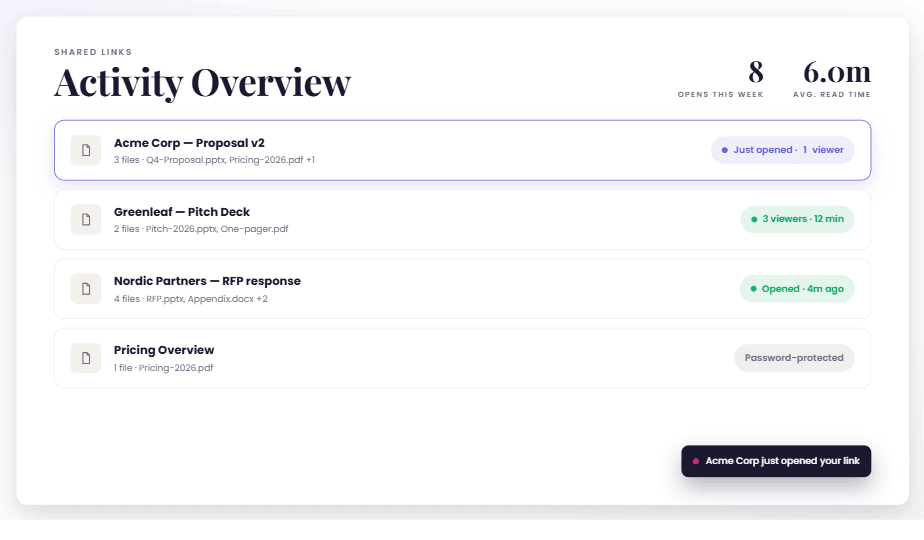
See exactly what is being used and sent

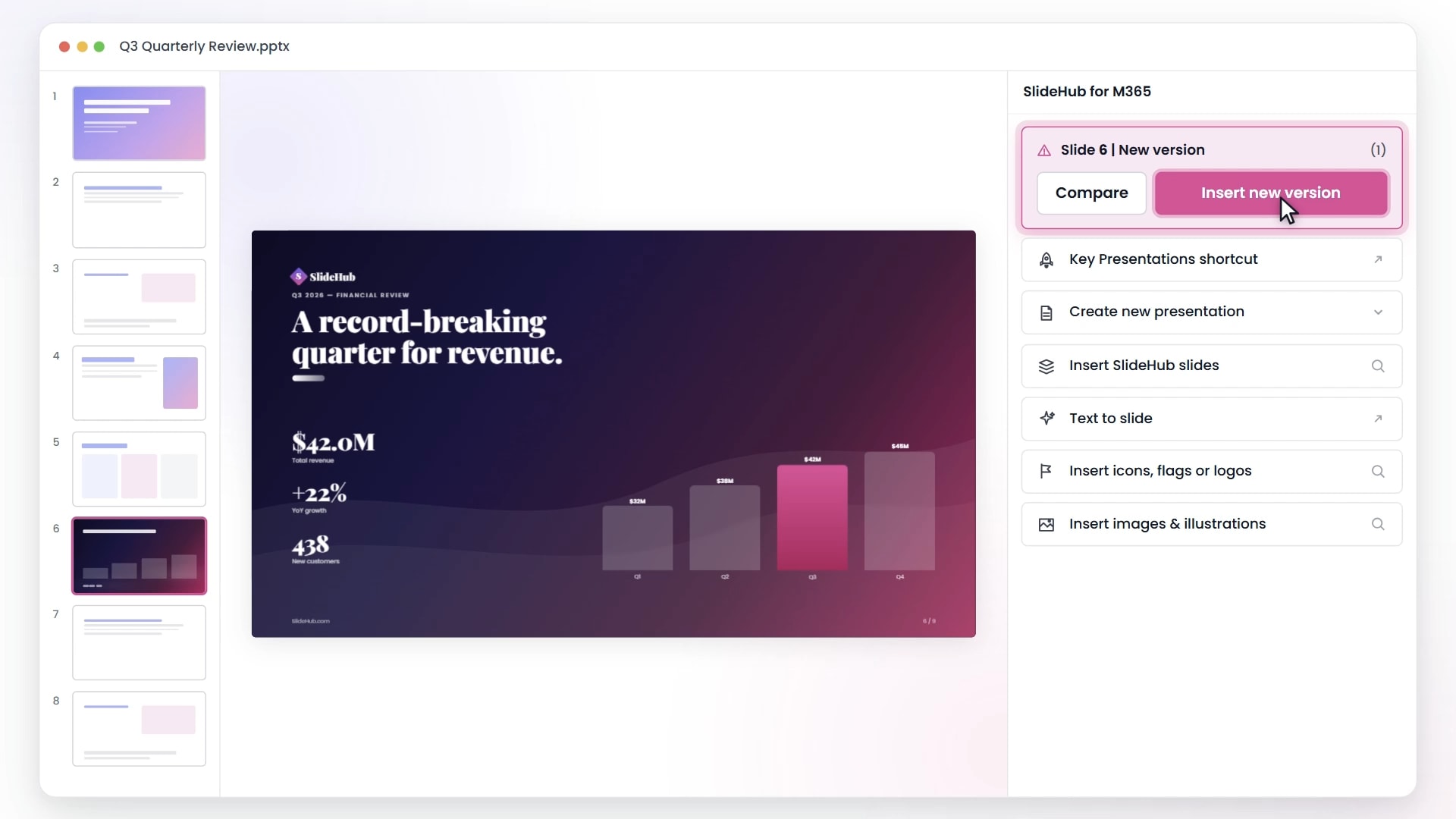
Every deck is built from tracked, approved content, so you can see which slides and slide sets are in circulation and which old versions are still out there.

That transparency turns compliance from a hopeful policy into something you can actually verify, across the whole team.

Transparency into which slides are being used and sent

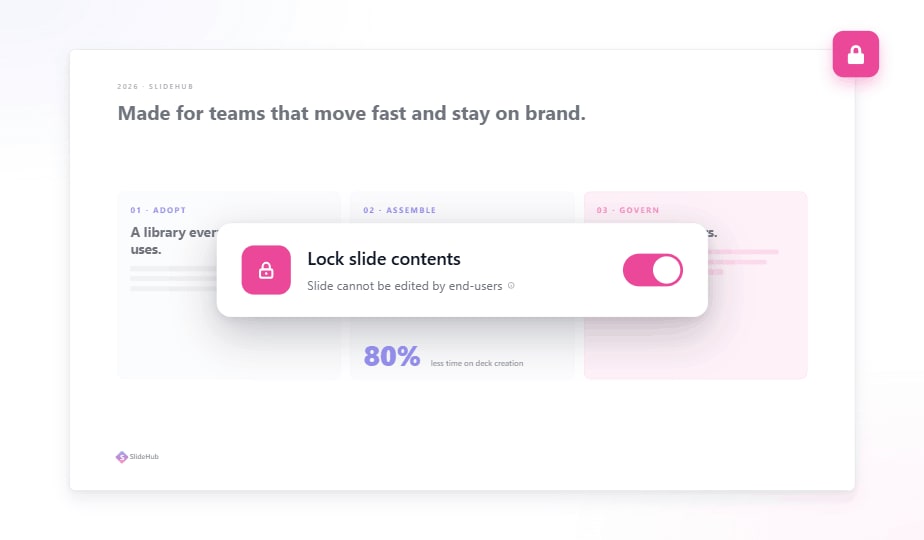
Lock the content, free the edits

Lock the slides that must not change, such as disclaimers, legal text, and brand elements, while leaving clearly marked placeholders for the parts colleagues should personalize.

Customization happens inside the lines you set, so a deck can be tailored to a client without ever putting the compliant content at risk.

Locked slides with editable placeholders in SlideHub

Customization and compliance, at the same time

Placeholders and controlled automation let people make a deck their own without touching what has to stay fixed. They fill in client names, figures, and visuals through guided fields; the mandatory slides and disclaimers come along automatically.

The result balances the flexibility colleagues want with the control compliance needs, no policing required.

Customizing a deck with placeholders while compliant content stays locked
Compliance

Everything teams need to stay compliant

Mandatory content, locked slides, and full transparency, built into the way decks are made.

Mandatory slides

Make sure required intros, disclaimers, and disclosures are always part of the deck.

Disclaimer management

Update legal text once and have it flow to every deck that uses it.

Approved slide sets

Curate the exact slides a compliant deck should be built from.

Locked slides & placeholders

Lock what must not change, leave placeholders for what colleagues can.

Controlled automation

Assemble on-brand decks automatically so the compliant build is the default.

Usage transparency

See which slides and versions are in use and what is being sent out.

Compliant by default, not by reminder

Book a demo and see how SlideHub keeps mandatory slides and disclaimers in every deck while colleagues still move fast.