
Share a deck and see exactly who viewed it
Send presentations as a secure link and track every open, every slide, and every second of engagement, so you always know where a deal really stands.

Share decks and related files and see who's reading
Send presentations and related files to prospects to know when they open the deck. You can see exactly which slides held their attention.
- Get notified the moment recipients open your deck
- Track time spent on each slide and total engagement
- Password-protect decks and control download permissions
Build slides on-brand, every time
Generate slides with AI that uses your approved templates and content, or start from 4,500+ professionally designed templates. Always on-brand, no reformatting needed.
- AI builds and redesigns slides from your own content and templates
- Library of 4,500+ ready-to-use slide templates
- Every slide stays inside your brand guidelines
Save hours on deck building
Set up logic and placeholders to automate proposals, tombstones, CV decks, and more. Pull data, swap content, and assemble easily.
- Build proposals from approved slide groups in minutes
- Use placeholders to swap client names, data, and visuals
- Generate tombstones and CV decks automatically
Update once, change everywhere & notify users
Update one slide and push the change to every deck that uses it. Lock compliance-critical slides, merge duplicates, and approve contributions from across the team, all from one place.
- Update once, update everywhere. No more outdated decks
- Lock compliance-critical slides from being edited
- Approve slide-suggestions and merge duplicate slides with a click





















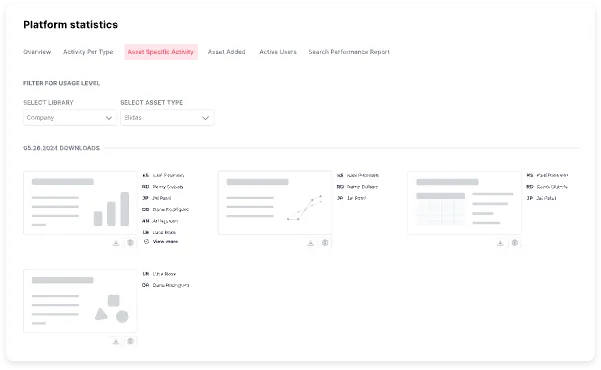
Know exactly how every deck performs
Share a presentation as a secure link and SlideHub tracks the rest: who opened it, how long they stayed, and which slides held their attention.
Know who viewed it
Get notified the moment a recipient opens your deck, so you can follow up while their attention is on you.
Per-slide engagement
See time spent on each slide and total engagement, so you know which parts of the deck resonated.
Deck engagement analytics
Presentation analytics across every deck you send, so you can spot what works and double down on it.
Track document opens
Share related PDFs and documents alongside the deck and see exactly when each one is opened.
Secure deck sharing
Password-protect what you send and control download permissions, so sensitive decks stay in the right hands.
Built from approved content
The decks you track are built from your approved library, so what you share is always current and on-brand.
Governed library that powers your work in M365
Presentation Management w. slides, documents, PDFs, images, icons, all approved and in one place, with AI, search, creation, sharing, and governance built in:



See every open, slide, and second
The moment a recipient opens your presentation, you know. Track time on each slide and total engagement, so your follow-up is informed by what they actually looked at.
Secure sharing, fully under your control
Share decks and documents as a tracked link, password-protect what's sensitive, and control downloads. Secure deck sharing without emailing files around.
Give your colleagues an unfair advantage
The same platform that tracks your decks also hands your team three things they couldn't do before.

Customise a full presentation in seconds
Pick approved slide groups, let placeholders fill in the client details, and a tailored, on-brand deck is ready in minutes.
See how it works
Build new slides with on-brand AI
Describe the slide you need and AI builds it from your own templates and content, always on-brand, with no reformatting.
Explore SlideHub AI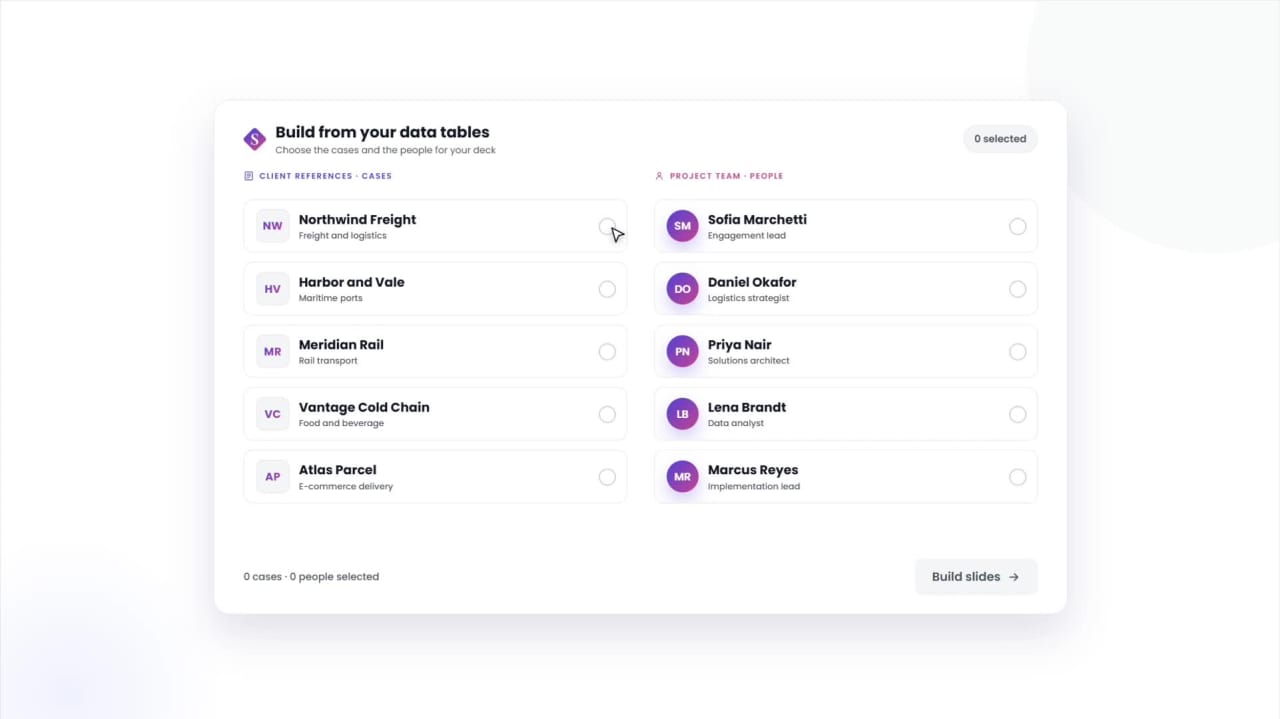
Manage tombstones, bios & cases in a structured data table
Keep deal tombstones, team bios, and reference cases in one table, and build any slide from the entries you pick.
See Data TablesRated 4.9 by the people who use it every day
SlideHub is a Leader in Presentation Management on G2, with awards across implementation, support, and ease of doing business. Every medal is earned from verified customer reviews.
Read customer stories






See how other teams share and track decks





Presentation tracking questions, answered
What is presentation tracking software?
Can I track who viewed my presentation?
What presentation analytics do I get?
Is the deck sharing secure?
Can I track document opens too?
See presentation tracking that closes the loop
Book a 30-minute walkthrough. We'll tailor it to how your team shares decks today, and show what you learn once every send is tracked.