
 Back
Back
Product Update - September 2025
Timea Borbath · January 16, 2026
This month’s update brings new ways to keep slide content consistent, manage automations more efficiently, and review updates faster. Each improvement is designed to save time, reduce manual work, and make maintaining large slide libraries easier:
-
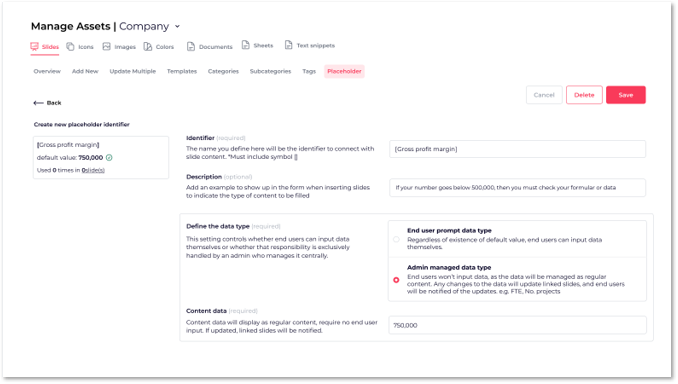
Admin managed data – Keep key company data consistent across all slides and presentations. Update it once, and it’s automatically applied everywhere that data appears.
-
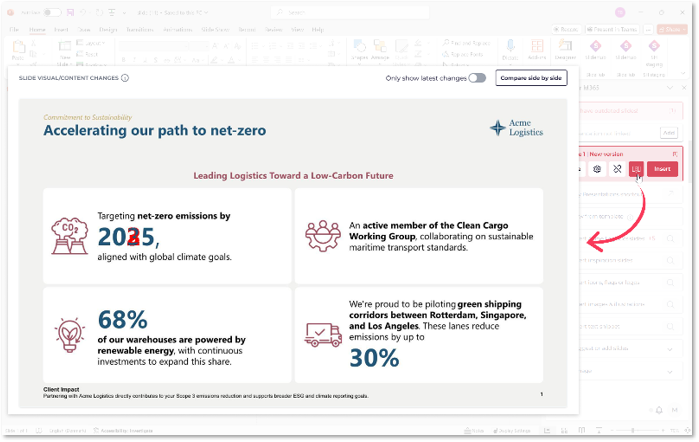
Slide comparison – Easily review changes or differences between duplicate slides and updated versions, with clear visual highlights.
-
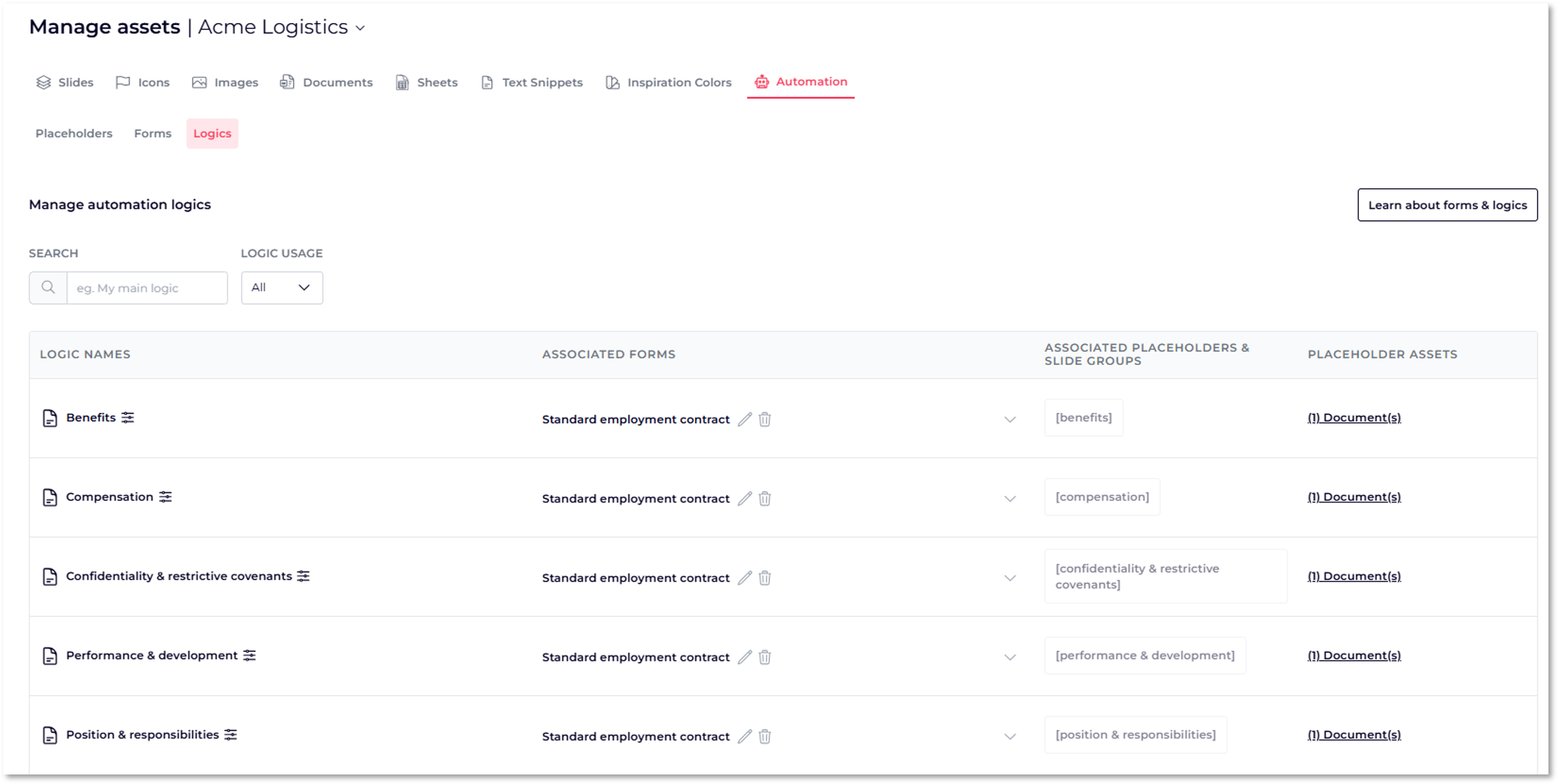
Improved automation management – Manage all your automations in one place with a new dedicated view for forms, logics, and placeholders, making management and edits faster and easier.
Watch the full product update video here: Product Update September 2025
📝 Admin managed data
Managing key information—like the number of employees, offices, or clients—across multiple slides can be time-consuming and prone to errors. Updating it in one slide but forgetting another can quickly lead to inconsistencies.
With the new Admin-Managed Data feature, you maintain a single source of truth. Update the information once on the platform, and SlideHub automatically updates it everywhere across your slide library: across all relevant slides and every presentation that uses them.
This feature is perfect for teams and admins who need to:
- Maintain a single source of truth for all key information.
- Prevent inconsistencies when data appears across multiple slides.
- Keep presentations polished for end-users - placeholders remain invisible while outdated data triggers a version warning.
- Ideal for teams with large slide libraries who want to maintain consistency while reducing manual updates.
↔️ Slide comparison
Select multiple categories at once when filtering the slide library. Combine them with tags or keyword searches to quickly find the exact slides you need, reducing search time.
The Slide Comparison feature makes it easy to stay on top of updates and review slides faster with clear, visual highlights.
Now, you can instantly see what has changed between versions of a slide. Edits are clearly marked in red, making it simple to spot additions, deletions, or formatting updates. For a clean preview, toggle “Hide changes”, or use “Compare side by side” to see the previous and current versions together.
This feature is perfect for admins and teams who need to:
- Review updates quickly without manually checking each slide.
- Ensure consistency across presentations.
- Identify duplicate or outdated slides efficiently.
⚙️ Improved automation management
The new Automation Management view in Manager View brings all your automations together in a single, organized interface.
Now, placeholders, forms, and logics are displayed in one place, giving account managers a clear overview of every automation running across your documents, slides and presentations. You can quickly see which placeholders are in use, which forms are associated with which documents, and which logics are used or unused.
This streamlined view allows you to:
- Track and manage all automations efficiently.
- Quickly identify broken or unused logics.
- Make updates and adjustments in a single, intuitive workspace.
📅 Don’t Miss Our Next Webinar
Join us for our next Product Update Webinar on January 15, 2026, at 2:00 PM and 9:00 PM CET.
Register here → https://slidehub.com/webinar-sign-up/quarterly-product-webinar
We look forward to seeing you at the next webinar!
Are you interested in becoming a client -Schedule a demo here
Do you need our assistance as a clients -Book a call with Customer Success