
 Back
Back
Product Update - December 2024
Timea Borbath · January 13, 2025
In December, we introduced several enhancements to the task pane experience in Word, Excel, PowerPoint, and Outlook, designed to streamline your workflow and improve usability. Key updates include a more intuitive task pane structure, version control support for Word and Excel, major improvements to version control in PowerPoint, and the ability to access placeholder identifiers directly within the task pane.
Watch the full video below:
Highlights from December Product Update:
- Version control now available for Word and Excel - receive notifications when the document or sheet you're working on is outdated, ensuring you're always using and sharing the most up-to-date materials
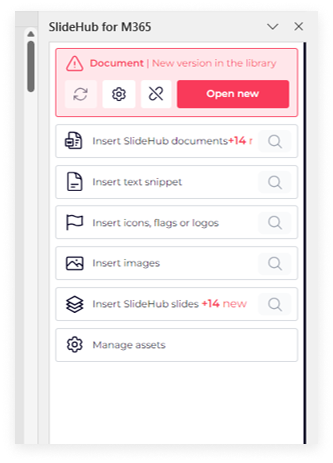
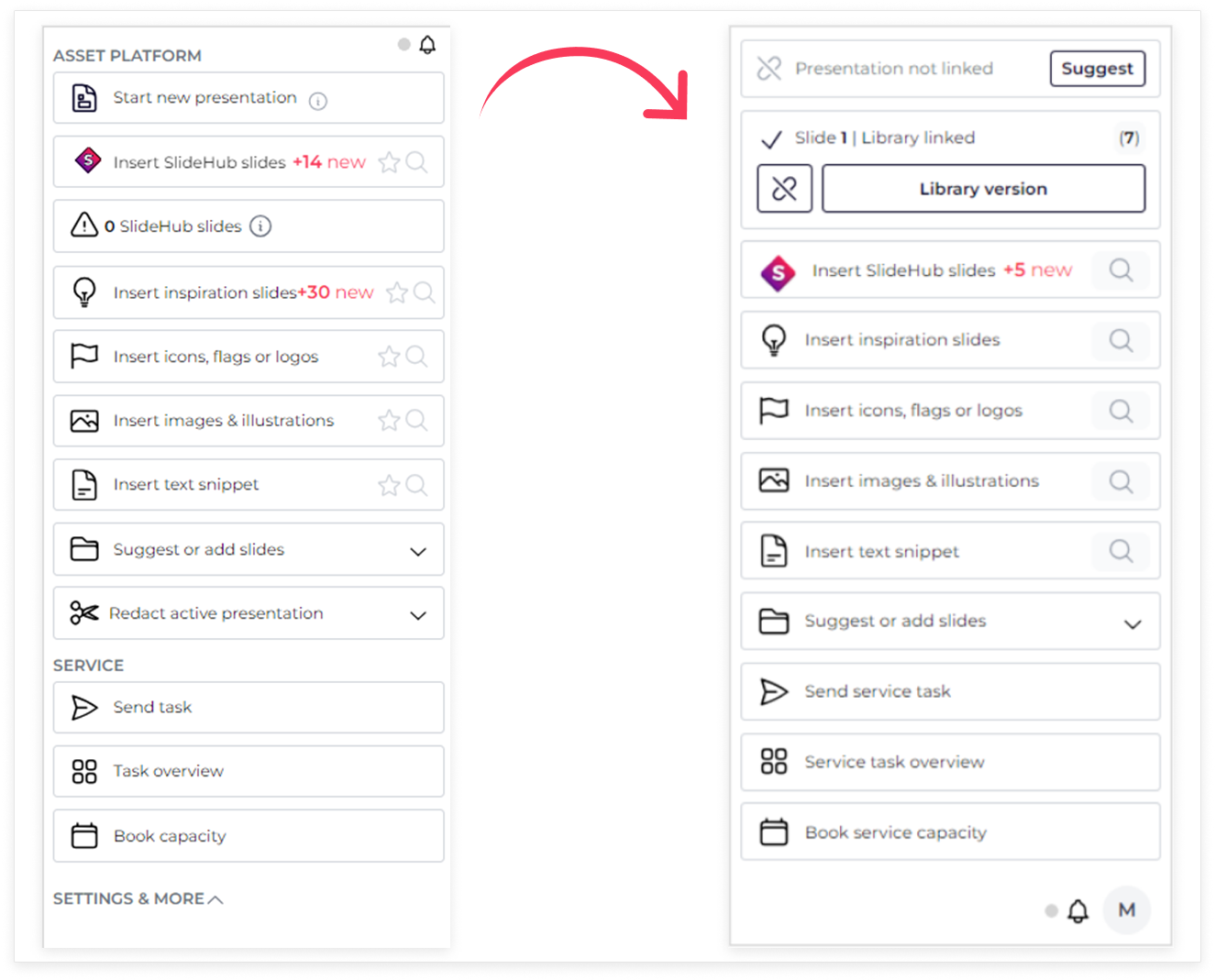
- Improved task pane structure and search - seamlessly navigate and locate all assets from your library directly within the task pane, designed for a more efficient workflow
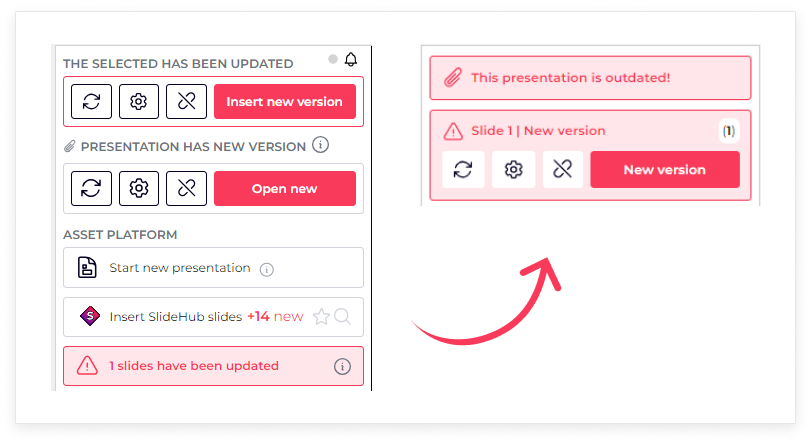
- Improved version control for slides and presentations within PowerPoint - easily track the status of your presentation and slides, with relevant actions based on your access and the file’s state. Update outdated presentations with a single click for a smoother workflow. Learn more about PowerPoint version control in SlideHub
- Direct access to Placeholder Identifiers within the task pane- managers can now easily add placeholder identifiers directly within the task pane, making placeholder management more efficient and streamlined for slides and presentations

Stay tuned for exciting updates and join us for our upcoming Quarterly Product Webinar - Reserve your spot here.