
Slide management software that streamlines proposals
One slide library for your whole team: find approved slides at the slide level inside PowerPoint, reuse them to build on-brand proposals in seconds, and update content across every deck with one click.
Rated 4.9 by the people who use it every day
SlideHub is a Leader in Presentation Management on G2, with awards across implementation, support, and ease of doing business. Every medal is earned from verified customer reviews.
Read customer stories






Everything slide management software should do
Real slide management is more than a shared folder. SlideHub gives your team one platform to find, build, update, and control every slide - from the moment it is created to the day it is retired.
Central management
Every approved slide lives in one governed place instead of scattered across drives, inboxes, and laptops.
Slide-level search
Find any slide in seconds by topic, tag, or on-slide content - without leaving the apps your team already uses.
Fast proposal building
Assemble tailored proposals from approved slides and let placeholders handle the customization automatically.
Update propagation
Edit a slide once and push the change to every deck that uses it, so no one presents an outdated version again.
Slide locking
Lock compliance-critical slides so their content and layout can't be altered, while the rest of the deck stays editable.
Usage insights
See which slides get used, searched for, and ignored - then manage your collection around what your team actually needs.



Search every slide at the slide level
Stop opening file after file to find one chart. Search your entire collection by topic, tag, or what's on the slide and drop the right one straight into your deck.

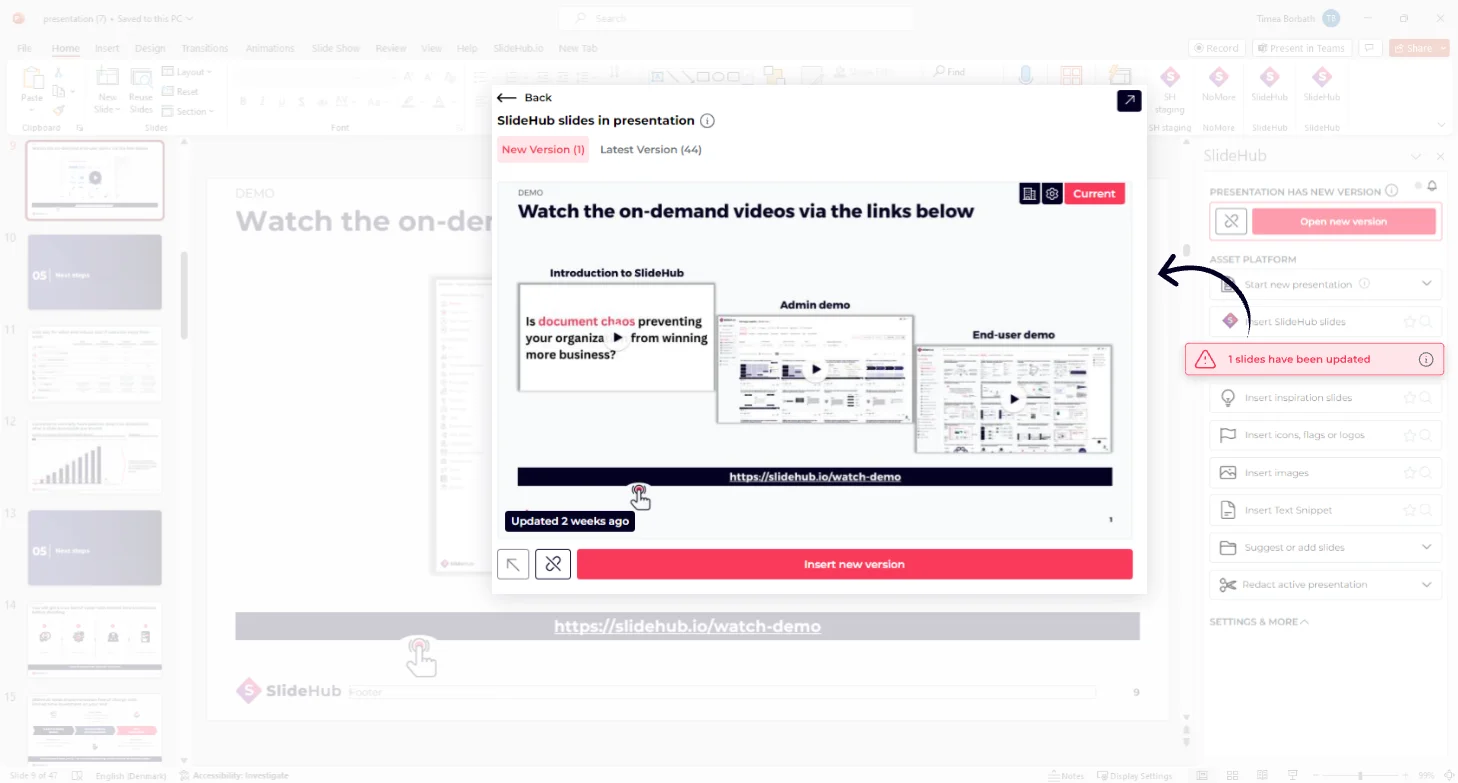
Update one slide, refresh every deck
Change a price, a stat, or a logo in one place and SlideHub pushes it to every presentation built from that slide - and tells the people who need to know.
Give your colleagues an unfair advantage
The same software that keeps your slides under control also hands your team three things they couldn't do before.
Customize a full presentation in seconds
Answer a few questions, and placeholders fill the client details across every slide.
See placeholders and the builderBuild new slides with on-brand AI
Describe the slide, and AI builds it on your template.
Explore SlideHub AIManage tombstones, bios & cases in a data table
Tick the entries you want and the slides come out of the table.
See Data TablesSee how other teams got their slides under control






Slide management software questions, answered
What is slide management software?
How does slide management software streamline proposals?
Does SlideHub work inside PowerPoint on PC and Mac?
Can I lock slides so they cannot be edited?
How is this different from a shared folder of presentations?
See SlideHub work as your slide management software
Schedule a 30-minute demo. We'll show you how teams manage, search, build, and update every slide from one place - without leaving PowerPoint.