
 Back
Back
Product Update - August 2025
Timea Borbath · September 1, 2025
This month's SlideHub update introduces three powerful features designed to boost productivity and streamline your content management:
-
Mark assets as “Draft” – Maintain content visibility by hiding assets from end-users while still enabling their use in automations.
-
Multi-category selection – Filter slides across multiple categories simultaneously to locate relevant content more efficiently and streamline workflows.
-
Filter slides by number of presentations – Quickly determine how many presentations a slide is part of, supporting better content management and library organization.
Watch the full product update video here: Product Update August 2025
📝 Control what users see by marking assets as draft
Mark slides, documents, sheets, images, and icons as “Draft” to keep them invisible to end-users while still available for automations. This gives you the flexibility to prepare and test assets behind the scenes without cluttering the library or risking accidental use.

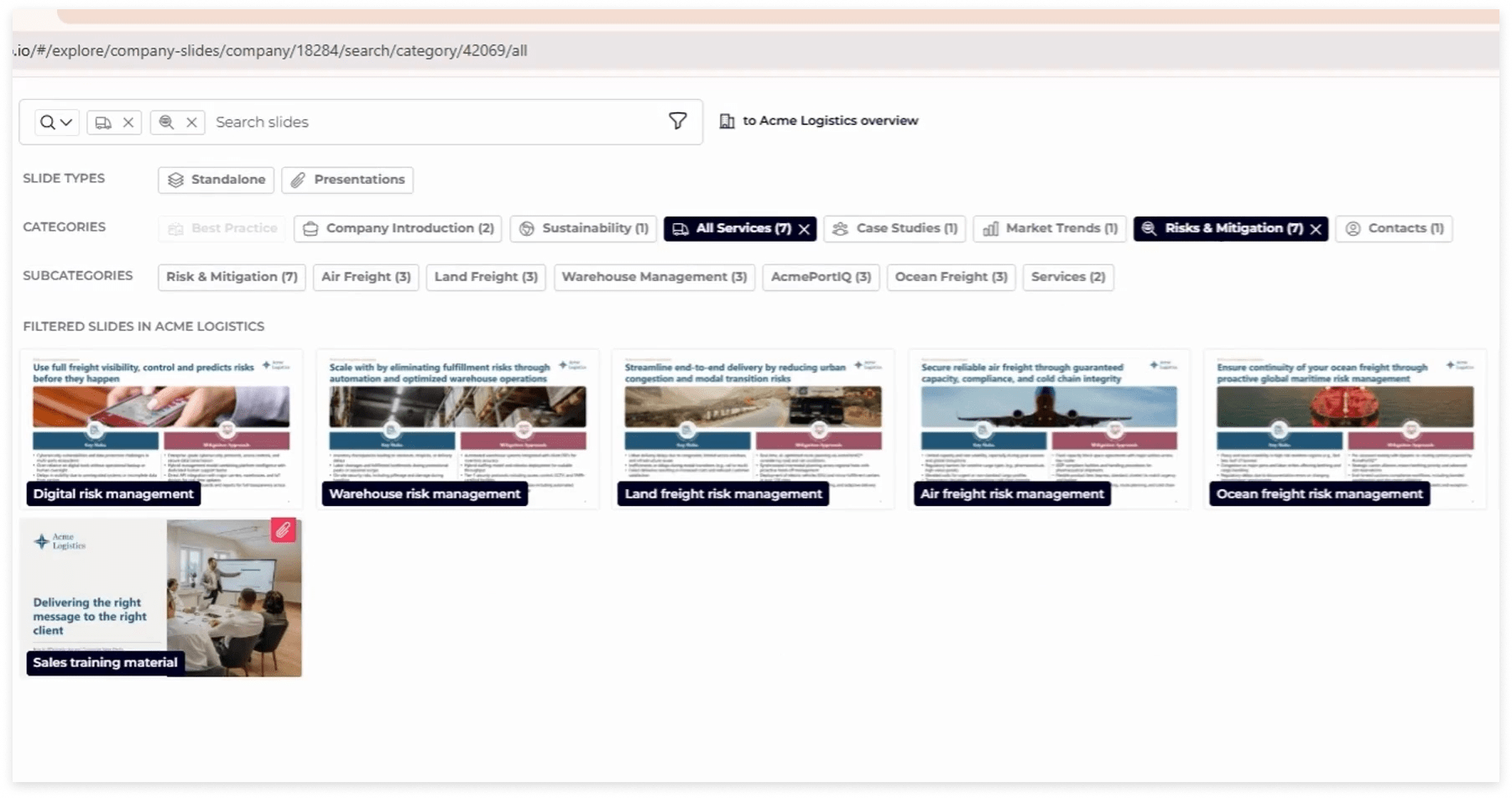
🔍 Find the right slides faster with multi-category filters
Select multiple categories at once when filtering the slide library. Combine them with tags or keyword searches to find the exact slides you need, reducing search time.
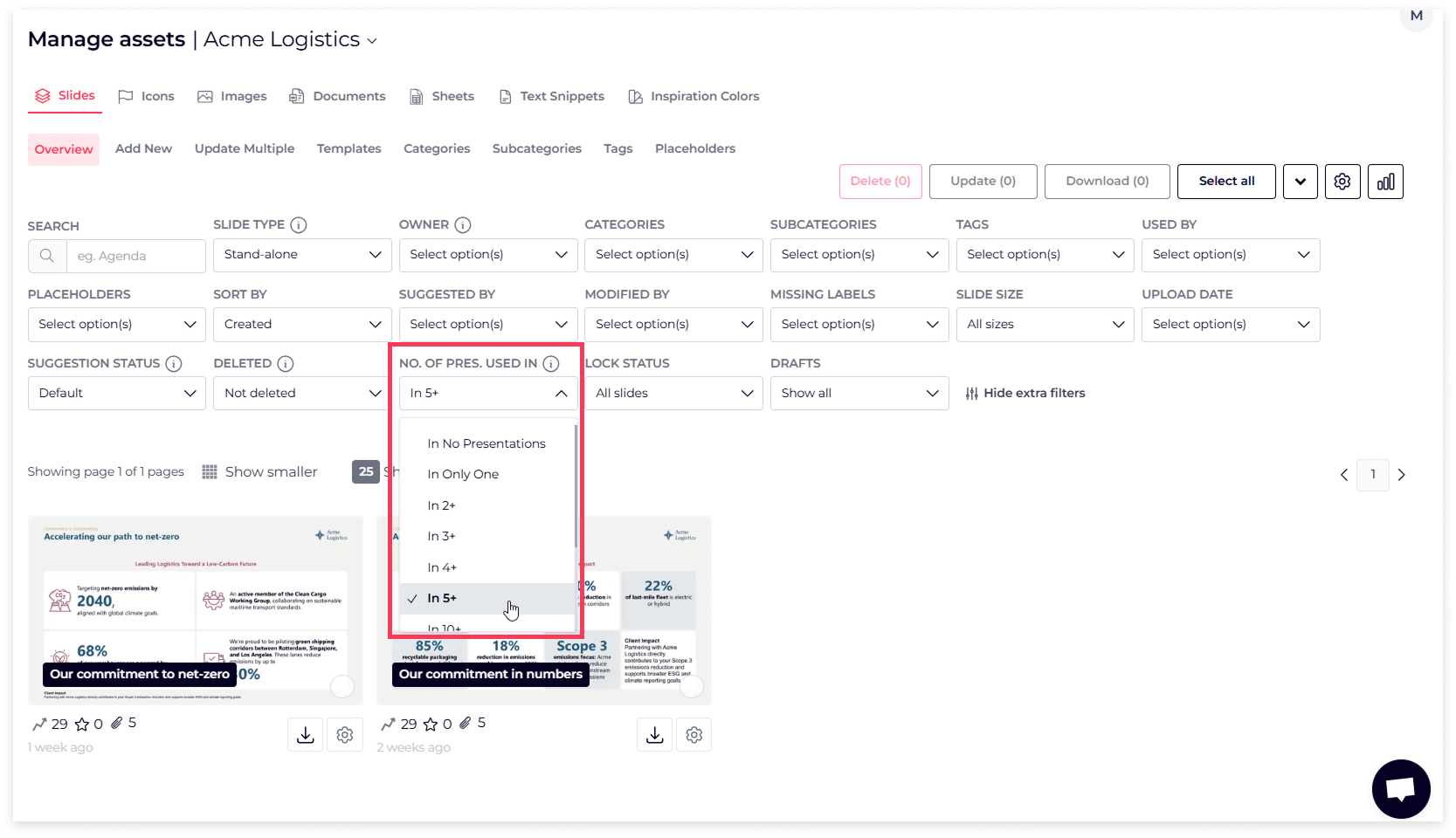
📎 See how many presentations slides are used across
With the new filter, you can now see and filter slides based on how many presentations they’re used in - for example: no presentations, only one, 2+, 5+, and more. This gives you a clear overview of slide usage and helps you manage your most important content more effectively. Due to this one-to-many structure, when a core slide is updated, the changes are automatically reflected in every presentation that uses it. You can also hover over the paperclip icon to see exactly which presentations a slide belongs to.
📅 Don’t Miss Our Next Webinar
Join us for our next Product Update Webinar on Thursday, October 2nd at 2 PM and 10 PM CET.
[Register here → https://slidehub.com/webinar-sign-up/quarterly-product-webinar]
We look forward to seeing you at the next webinar!
Keep up-to-date with the latest updated - Sign up for our next product webinar
Are you interested in becoming a client -Schedule a demo here
Do you need our assistance as a clients -Book a call with Customer Success