SlideHub

A slide library your team can actually find slides in

Give everyone a single library of approved slides, searchable in seconds inside PowerPoint - so no one wastes an afternoon rebuilding a slide that already exists.

Find any slide in seconds

Give your team access to on-brand, up-to-date approved slides using powerful AI search built right into PowerPoint, SharePoint, and Teams.

  • Search across your entire slide library by topic, tag, or content
  • Find the right slide or describe what you need to let the AI create it
  • Filter by category, tags or labels instantly
Learn more

Build slides on-brand, every time

Generate slides with AI that uses your approved templates and content, or start from 4,000+ professionally designed templates. Always on-brand, no reformatting needed.

  • AI builds and redesign slides from your own content and templates
  • Library of 4,000+ ready-to-use slide templates
  • Every slide stays inside your brand guidelines
Learn more

Share decks and related files and see who's reading

Send presentations and related files to prospects to know when they open the deck. You can see exactly which slides held their attention.

  • Get notified the moment recipients open your deck
  • Track time spent on each slide and total engagement
  • Password-protect decks and control download permissions
Learn more

Save hours on deck building

Set up logic and placeholders to automate proposals, tombstones, CV decks, and more. Pull data, swap content, and assemble easily.

  • Build proposals from approved slide groups in minutes
  • Use placeholders to swap client names, data, and visuals
  • Generate tombstones and CV decks automatically
Learn more

Update once, change everywhere & notify users

Update one slide and push the change to every deck that uses it. Lock compliance-critical slides, merge duplicates, and approve contributions from across the team, all from one place.

  • Update once, update everywhere. No more outdated decks
  • Lock compliance-critical slides from being edited
  • Approve slide-suggestions and merge duplicate slides with a click
Learn more

Use detailed data to optimize the library and drive adoption

Track which slides get used, what your team searches for but can't find, and where to focus next, so your library only gets stronger over time.

  • Track usage, downloads and user-specific activities
  • Spot content gaps from real search behaviour
  • Make informed decisions about what to cut or create
Learn more
Trusted by
Thyssenkrupp KPMG Netcompany H&Z Valcon Siemens Advanta Consulting RPC Epinion IG&H KPS Dentons Global Advisors twoday Cobham Castle Biosciences Arcondis Bech-Bruun Cannings Purple Rud Pedersen Public Affairs Johns Hopkins University SKI Leverandør NCARB
and 500+ other leading companies
Enterprise-grade security
SOC 2 Type II
SOC 2 Type II Certified
Cyber Essentials
Cyber Essentials Certified
Microsoft 365 Certified app
AWS EU
AWS EU Hosted & encrypted
GDPR Compliant

What a great slide library gives your team

A slide library only pays off if people can find the right slide fast. SlideHub is built around discovery, so the best slides get reused instead of rebuilt.

Slide-level search

Search inside the library at the slide level, not just by file name, so the exact slide you need surfaces in seconds.

Text & label filters

Combine free-text and label-based filters to narrow thousands of slides down to the handful that actually fit.

Curated categories

Organise the library into clear, browsable categories so people can explore the best examples, not guess at folder names.

4,000+ ready slides

Augment your own slides with a built-in library of professionally designed, on-brand templates ready to use.

Inside PowerPoint

The whole library is available in the PowerPoint sidebar, so finding and inserting a slide never breaks your flow.

Always current

Every slide in the library resolves to its latest approved version, so search results are never out of date.

A slide library should be easy to manage

A library is only as good as how easy it is to keep in order. SlideHub gives you control over every slide in the library, from the moment it's added to the day it's retired.

Update propagation

Edit a slide once and push the change to every deck that uses it. No more outdated numbers slipping into a live presentation.

Slide locking

Lock compliance-critical slides so their content and layout can't be altered, while the rest of the deck stays editable.

Version control

Every slide always resolves to its latest approved version, so your team never grabs a stale copy by mistake.

Duplicate clean-up

Find and merge near-identical slides into one managed source of truth instead of letting copies multiply.

Ownership & approvals

Assign an owner to every slide and approve suggestions from the team, so nothing changes without sign-off.

Usage insights

See which slides get used, searched for, and ignored - then manage your library around what your team actually needs.

Give your colleagues super powers

The same platform that holds your slide library also hands your team three things they couldn't do before.

Customise a full presentation in seconds

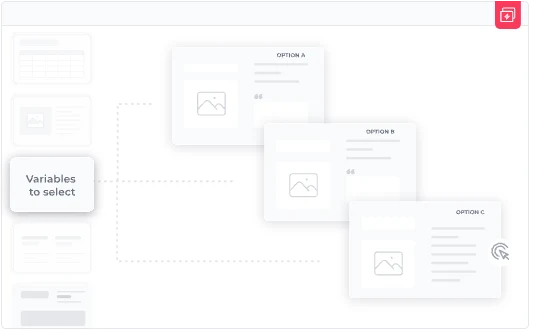
Pick approved slide groups, let placeholders drop in the client-specific details, and a tailored, on-brand deck is ready before you'd normally have opened a template.

Build new slides with on-brand AI

Describe the slide you need and AI builds it from your own templates, content, and brand — or redesigns a rough slide so it's presentation-ready. Always on-brand, no reformatting.

Manage tombstones, bios & cases in a structured data table

Keep deal tombstones, team bios, and reference cases in one structured Data Table. Set it up once and reuse it everywhere, fully on-brand, instead of rebuilding each profile slide by hand.

See how other teams built a library they use

Slide library questions, answered

What is a slide library?
A slide library is a single, organised home for your team's approved slides, so people can find and reuse the right one instead of rebuilding it from scratch. SlideHub gives you a searchable slide library inside PowerPoint, where every slide is categorised, on-brand, and always on its latest version.
How do people find slides in the library?
They search at the slide level, by free text and by label, right inside PowerPoint. Type what you need and the matching approved slide is one click away, so finding a slide takes seconds rather than scrolling through folders.
Can we use our own slides and ready-made ones?
Both. Your slide library holds your own approved slides, and you can draw on a built-in collection of 4,000+ professionally designed, on-brand slides, so an empty slide is never the starting point.
Does the slide library stay up to date automatically?
Yes. Every slide in the library resolves to its latest approved version, so search results are never out of date and your team always pulls the current slide.
Where does the slide library live?
Inside PowerPoint, in a sidebar, and it works across PC, Mac, and Microsoft 365 Online, so finding and inserting a slide never breaks your flow.

See your slide library come to life in PowerPoint

Book a 30-minute walkthrough. We'll show you how your team finds, browses, and reuses approved slides in seconds - all from inside PowerPoint.

See SlideHub live

Already ready to buy? Fill order form here →

Where are you located? *
Number of employees *
Select only if relevant: